Ectomorphs and calisthenics: how to eat and train to build muscle
Are you an ectomorph struggling to build muscle? Discover how many calories to eat, which foods to prioritize, and how to adapt your calisthenics routine.
What's new in Calisteniapp v26.11.0: calisthenics parks, Android Wear, tablets and foldables, clearer sessions, bookmarks and skill progressions.
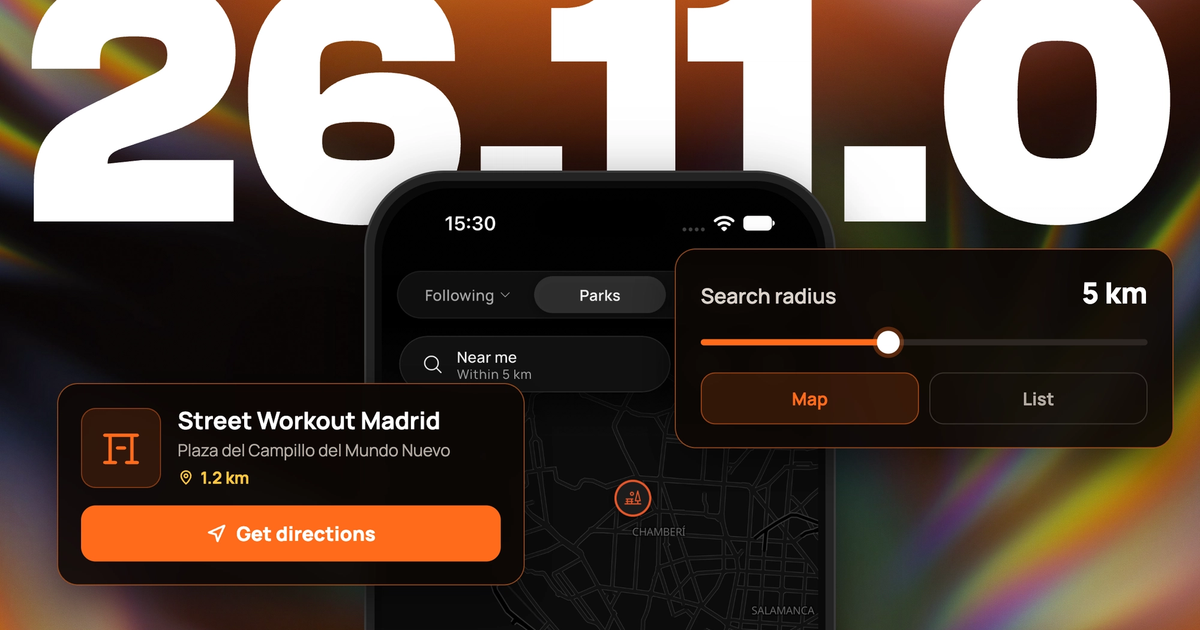
A lot of people train outdoors, with their phone on a bench and little time between sets. This v26.11.0 is built for that moment: it helps you find where to train, brings session controls to your Android Wear watch, and adapts the app to tablets and foldables.
The highlights of this version:
Keep reading to see how each new feature works.
Community has a new Parks tab to help you discover calisthenics parks near you.

With this tab, Community is now organized into three: activity (Following or All), Parks, and Learn.
Meet the new Android Wear app. You start your workout on your phone and follow it from your wrist, without picking up your phone between sets.

During the session, your watch records your heart rate and calories. When you finish, they're saved to Health Connect along with your workout.
The Apple Watch app now opens automatically when you start a workout on your iPhone.


In Unlocked exercises, the new tree view shows the progressions for each skill: push-ups, pull-ups, muscle up, front lever… For each exercise, you'll see whether you've done it, whether it's available, or whether it's still locked. That way you know your next step in each skill.

Thanks for training with us. If something is blocking you (or you notice any issue after updating), write to us on Instagram (https://www.instagram.com/calisteniapp/), in our Discord community or by email at info@calisteniapp.com.
Personalized quiz
Answer 7 quick questions and we will recommend the program that fits you best.

Iñaki Tajes
Ingeniero y cofundador de Calisteniapp, experto en diseño de productos digitales centrados en el usuario. Lidera la estrategia tecnológica de una de las apps de calistenia más utilizadas del mundo hispanohablante, Calisteniapp, una aplicación de entrenamiento con más de 3 millones de usuarios.
Learn everything you need to know about calisthenics
Are you an ectomorph struggling to build muscle? Discover how many calories to eat, which foods to prioritize, and how to adapt your calisthenics routine.

Learn how to organize your calisthenics and running sessions around your goals: how many days to train, which session to prioritize, and how to schedule rest.

Want to learn how to make the best shakes for building muscle mass? Easy, protein-rich recipes with no need for expensive supplements.